
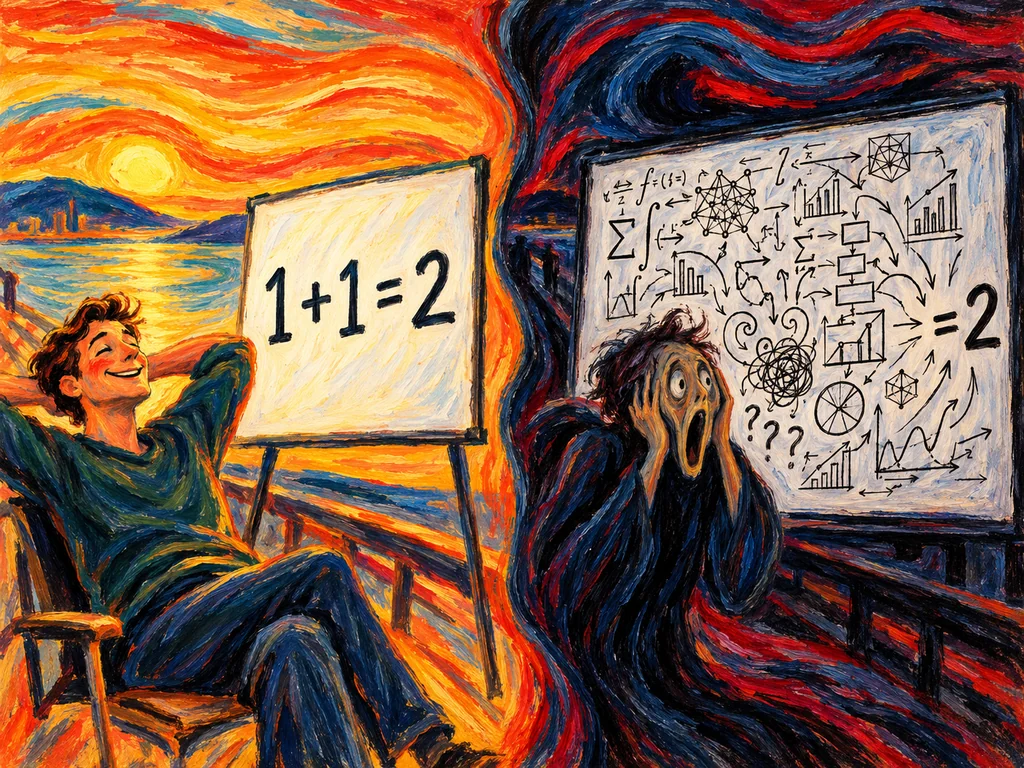
“We elevate everyday experiences through exceptional culinary solutions.”
Lovely. Can I order lunch?
Imagine seeing an advert for lunch delivered to your Upperhill office, then landing on that sentence. You have twenty minutes before a meeting and no particular appetite for a brand workshop.
Your visitor arrives with a job to do. A useful landing page makes the offer, its terms and the next step clear enough for them to decide. If you have to sit beside the customer explaining the page, congratulations: you have invented a very demanding brochure.
Here is how to find the missing explanation and fix it before commissioning a full redesign.
Rewrite the first screen around the buyer's task
For this worked example, the lunch service is fictional. The proposed details must be checked against a real business before use.
Its original page says:
Exceptional culinary solutions for the modern professional.
Experience quality. Discover excellence.
Get started.
The visitor still needs to know what is sold, where it is available, and what happens next.
A clearer version could say:
Lunch delivered to your office in Upperhill.
See today's meals, prices, and delivery details before placing your order.
View today's menu.
The change gives the visitor a usable starting point. It does not establish a measured conversion improvement. That needs testing.
A headline can still have personality. The supporting text should carry any explanation it needs. You do not have to squeeze the entire service into a heading tall enough to require its own postcode.
Nielsen Norman Group's homepage guidance recommends clearly communicating what an organisation does in its audience's language. A campaign page has a narrower job, but the same orientation problem is worth checking: does the visitor understand where they have arrived?
Show what the customer is actually getting
Take a screenshot of the page and mark where each purchase question is answered. Start with actual questions from your sales conversations rather than guessing what sounds reassuring.
For our lunch service, the useful information might be:
| Buyer needs to know | What the page should show |
|---|---|
| Is this a meal I want? | Actual meal photographs, names, and descriptions. |
| Can it reach me? | Accurate delivery area and a way to check the building. |
| What will I pay? | Meal price and the charges or conditions affecting the total. |
| Can I order for one? | Any minimum order or team-order requirements. |
| Can I get it in time? | Real ordering cutoff and delivery arrangements. |
| What if I have a dietary requirement? | Accurate ingredient information and how to confirm suitability. |
Publish only what the business can substantiate. A beautiful generated meal that differs from the actual serving is an expectation problem with excellent lighting.
For other offers, substitute the details that help someone make an accurate judgment. A venue needs room layouts and capacity. Software needs to show the task being completed. An agency can show a real sample deliverable and explain how the client uses it.
Benefits explain why someone should care. Specifics let them decide whether the promise works for them. A page needs both.
Put the answer where the hesitation happens
A price question belongs near the offer, not exclusively inside a collapsed FAQ at the bottom. A delivery condition belongs near the order decision. A testimonial helps when it supports the claim beside it.
For a fixed offer, show what the price covers and what changes the total. For custom work, explain the factors behind a quote and the information needed to prepare one. Publish a starting figure only if it meaningfully represents the work someone can buy.
Replace vague reassurance with evidence:
- Instead of “quality you can trust”, show the actual output or process.
- Instead of an unexplained client-logo wall, accurately describe the relevant work and relationship.
- Instead of “fast turnaround”, state an achievable delivery or response commitment with its conditions.
A new business can demonstrate its own work. It does not need to invent a customer to say something nice about it.
Keep essential terms visible. FAQs are useful for follow-on questions, exceptions, and clarification. They should not be the only place a visitor discovers a compulsory charge.
Explain what the button commits them to
“Get started” can mean open a menu, submit a sales enquiry or begin paying. Those are very different afternoons.
Use a recognisable action and explain the result nearby. For example:
Send your guest count and preferred date. We will check the requirements and respond with availability and a quote. Sending this form does not reserve the venue.
That is sample wording for a venue, not a service promise. Set any response time only after the team agrees it can meet it.
A branded CTA can work too. Attention Lasso uses “Make Attention Pay”; the invitation around it should make clear that the next step is a conversation about the reader's problem.
For the form itself, ask for information that changes what happens next. If a detail is optional, mark it. Keep visible labels associated with their fields; W3C's form-label guidance explains how this helps people identify and use controls, including with assistive technology.
Then run this phone check:
- Open the page through the actual advert or link.
- Find the offer, total-cost basis and main action.
- Complete the form with a deliberate mistake, then correct it.
- Submit a marked internal enquiry and check receipt.
- Read the confirmation. Does it say what happens next?
Do not stop at the thank-you screen. It is possible for the website to be grateful while the inbox remains empty.
Bring Attention Lasso the page and the questions your team keeps answering aloud. We can turn those into a prioritised editing brief.
Test understanding without coming to the page's rescue
Invite a few people who resemble the intended customer and have not helped build the page. Give them a realistic task.
For the lunch example:
You need lunch delivered to your office today. Use this page to decide whether you can order, what it will cost, and how you would proceed.
Let them work. Ask what they understand, where they hesitate, and what they expect to happen after clicking. Resist explaining the missing part. You are testing the page, not your ability to save it.
Record the confusion as an editing task:
| Observation | Useful change to test |
|---|---|
| “I can't tell if delivery is included.” | Explain delivery charges beside the price. |
| “Do I have to create an account?” | State the ordering steps before the commitment. |
| “I'm not sure you deliver here.” | Make coverage and how to check it visible. |
| “What happens after I send this?” | Explain the reply and confirmation process. |
These are hypothetical observations. Your test should discover the actual problems.
A small usability check can expose confusion; it cannot estimate everyone's behaviour or prove a conversion uplift. After revising, use fresh participants where possible and check whether the same obstacle remains.
For live performance, measure the action that matters. More button clicks are not sufficient if received enquiries or completed orders fail to improve. Review traffic sources and other changes before assigning a cause.
Frequently asked questions
What should a landing page say first?
Say what is being offered, who it suits and the next useful action. Add the location, price context or other condition that determines fit. The visitor should not need your company history before understanding whether the page can help them.
How long should a landing page be?
Long enough to answer the questions needed for the decision. A lunch order and a complex software purchase need different explanations. Cut repetition, keep essential terms visible and let headings help people find the detail they need.
Should I show my prices?
Show fixed prices and the conditions affecting the total. For custom work, explain what determines the quote and what information you need. A meaningful range can help; a misleadingly low starting price simply relocates the confusion to the sales call.
How many form fields should I use?
Use the fields needed to complete or route the request at this stage. Keep a field if its answer changes the next action. Remove or defer it if nobody uses the information, and clearly mark optional details.
Can I improve conversions without redesigning everything?
Yes. Start with observed problems in the offer explanation, proof, terms, or action. A clearer delivery statement or repaired form may be more useful than a new layout. Record the change and assess completed outcomes, not just whether the page looks fresher.
Do I need testimonials before launching?
No. You can show genuine demonstrations, work samples, and a clear process. Describe the evidence accurately and explain material limits. A fabricated testimonial creates more risk than an honest page without one.
Give the sales conversation a better starting point
Ask the person handling enquiries which basic explanations they repeat. Put the important answers on the page, then test whether a new visitor can find and use them.
Share the page, where visitors arrive from and what you want them to do. Attention Lasso can help identify which gaps deserve attention first.
Keep pulling the thread