
I read somewhere that there are two things you shouldn’t look for in life: love and death. Because one way or another, they’ll find you.
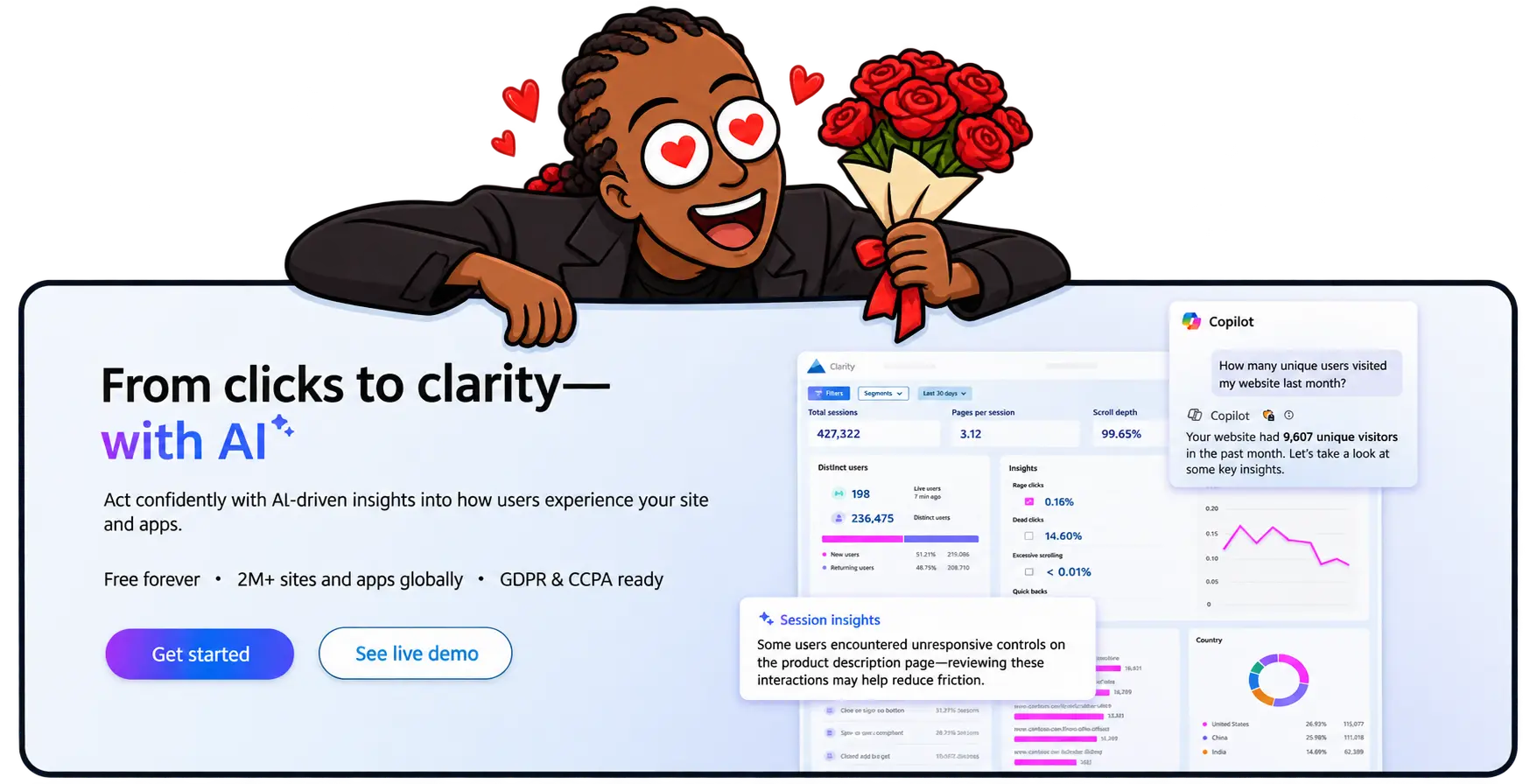
The best free AI visibility tool I’ve used is Microsoft Clarity.
Which is funny, because I wasn’t looking for it.
I discovered it while setting up Bing Webmaster Tools for Attention Lasso. I’d already connected Google Analytics and Search Console. Bing felt like the sensible next step.
That small housekeeping task led me to a free AI visibility checker, citation tracker, and behaviour analytics platform sitting inside the same product. (Yep, MS Clarity is the complete package.)
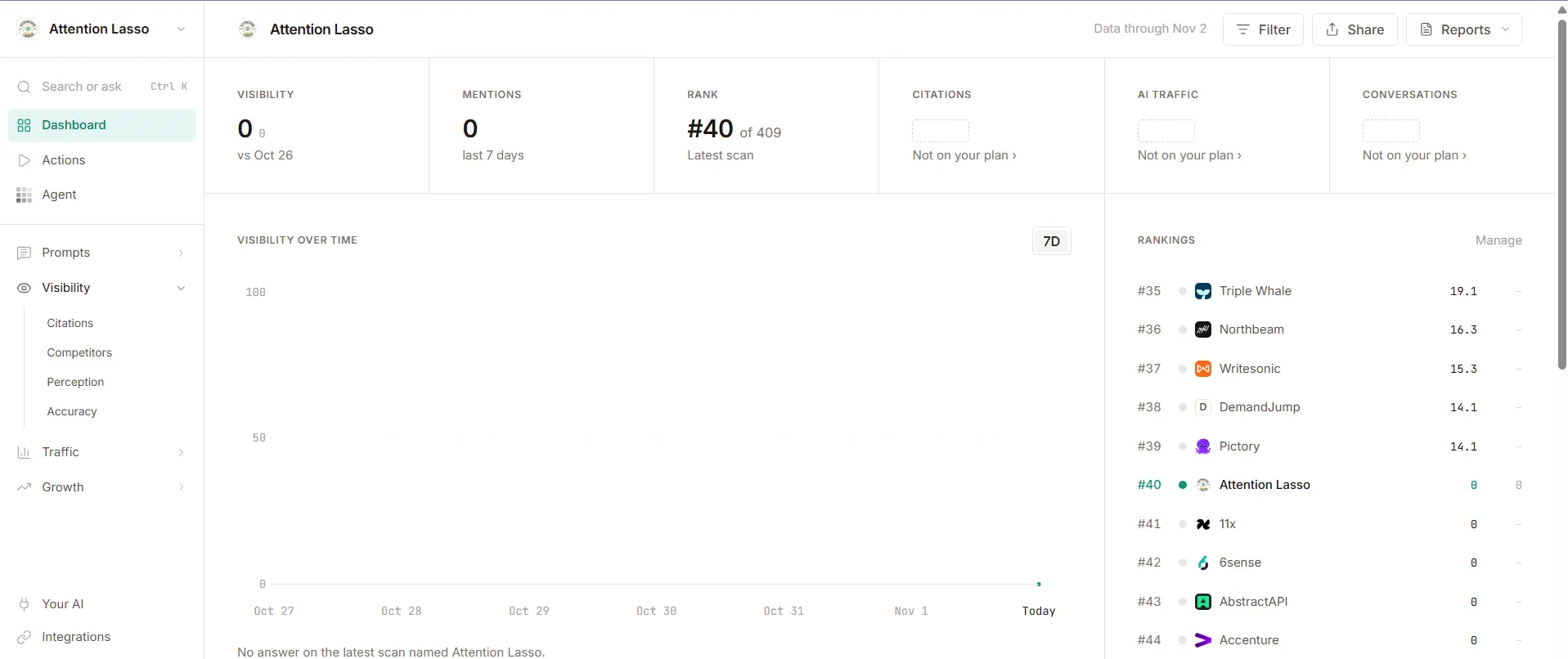
Before that, I’d tried the limited versions of Semrush, Ahrefs, and Trakkr. They gave me useful signals. Trakkr analysed my website, ranked Attention Lasso against 409 brands, suggested prompts, and showed me businesses it considered competitors.
Then I reached the familiar part of using a free marketing tool.
Citations? Not on your plan.
AI traffic? Not on your plan.
Conversations, site health, perception, and recommended actions? Choose a plan.
Fair business model. Terrible timing for a new company with a new website and a growing collection of software subscriptions.
Clarity was different. It gave me AI citation data, custom prompt tracking, AI referral filters, and session recordings without asking me to upgrade. Microsoft describes Clarity as a free service forever, with no traffic limits or forced paid tier.
My infatuation (let’s call it love) for MS Clarity isn’t all shiny-object syndrome. I recently got my first lead. Guess which AI visibility checker showed me a recording of the lead’s journey and attributed it to ChatGPT?
For a company that sells AI Search Optimization, that felt almost suspiciously poetic.
Most free AI visibility checkers stop at the interesting part
An AI visibility checker normally answers one of two questions.
The first is whether AI assistants mention your brand. The tool runs a sample of prompts through ChatGPT, Gemini, Perplexity, or another platform and counts how often you appear.
The second is whether AI systems can access and understand your website. These tools inspect crawler permissions, page structure, schema, and other technical signals.
Both questions matter. Neither tells you what happens when a person clicks.
That gap becomes important because visibility scores can look more certain than they are. Every tracker chooses its own prompts, models, locations, and testing frequency. A brand can be absent from the tool’s prompt set and still appear in a private conversation the tracker never saw.
One scan can give you a useful clue. But it can’t recreate every question your customers ask.
This is also why I wouldn’t call Trakkr useless. Its free report gave me prompt ideas, a competitor list, and a starting benchmark. Semrush and Ahrefs did something similar. The problem was that the context I wanted next sat deeper in the paid product.
Clarity helped me answer a different question:
Once AI sends someone to the website, do they look, care, and act?
Now we’re speaking Attention Lasso’s language.
Topic Insights turns customer questions into something you can track
MS Clarity’s Topic Insights feature is still in beta, but it is far more generous than I expected.
You create a topic, then add 10 to 15 prompts that reflect questions your audience might ask an AI assistant. Clarity generates a report that analyses the answers, identifies cited domains and pages, measures each source's contribution, and compares your visibility with competitors.
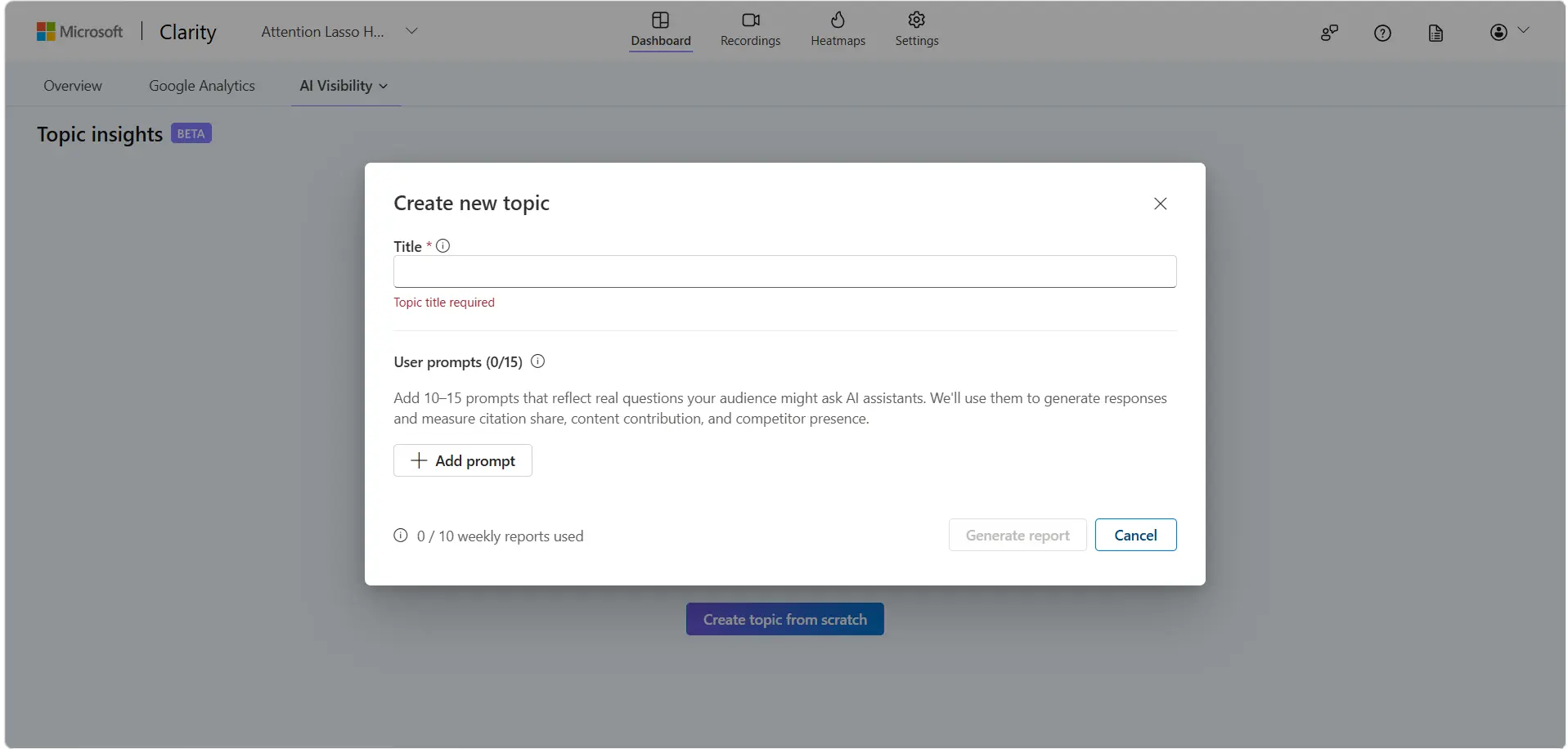
Microsoft’s current limits allow up to ten Topic Insights reports per project each week, with one report per topic per week. You can create multiple topics and add as many competitors as you need.
The report can show:
- Citation rate
- Competitive citation share
- Share of authority
- Content contribution
- Competitor presence
- Content opportunities
The prompts matter more than the dashboard.
If you fill the topic with generic phrases invented by a keyword tool, you will get a polished report about questions your customers may never ask. So, learning how to create AI visibility prompts from customer language will be essential.
One distinction is worth keeping clear. Topic Insights tests prompts you choose. MS Clarity’s Citations dashboard also reports grounding queries associated with citations your website has already earned.
Microsoft notes that these retrieval queries can differ from the exact words a person typed. They show how an AI system found and mapped your content, not a transcript of somebody’s private conversation.
That separation makes the data more useful. One report helps you test the market questions that matter to you. The other shows the topics and queries already leading AI systems to your pages.
MS Clarity also shows which pages AI systems cite
The Clarity Citations dashboard shows which pages were referenced in AI-generated answers, how often they were cited, and how the domain compares with competitors across related queries.
It also groups citation queries into topics and separates branded from non-branded queries. That matters because the two situations tell different stories.
A branded citation means the AI system already associated the question with your business. A non-branded citation is often more interesting. It means your page was selected as a useful source even though the query did not name you.
For a new website, this is a practical content brief hiding inside an analytics report.
You can see which pages are earning authority, which topics are beginning to move, and which gaps deserve a better answer. You can also compare citation presence with the AI referral traffic reaching the website.
Still, a citation is not a lead. It does not prove the answer represented your business accurately. It does not tell you whether the reader trusted the source or even clicked it.
That is where the recording becomes valuable.
Then ChatGPT sent me my first serious lead
Attention Lasso’s first serious AI lead came from ChatGPT.
Google Analytics recorded a key event. It also told me that the platform was the web, which was technically correct and emotionally underwhelming.
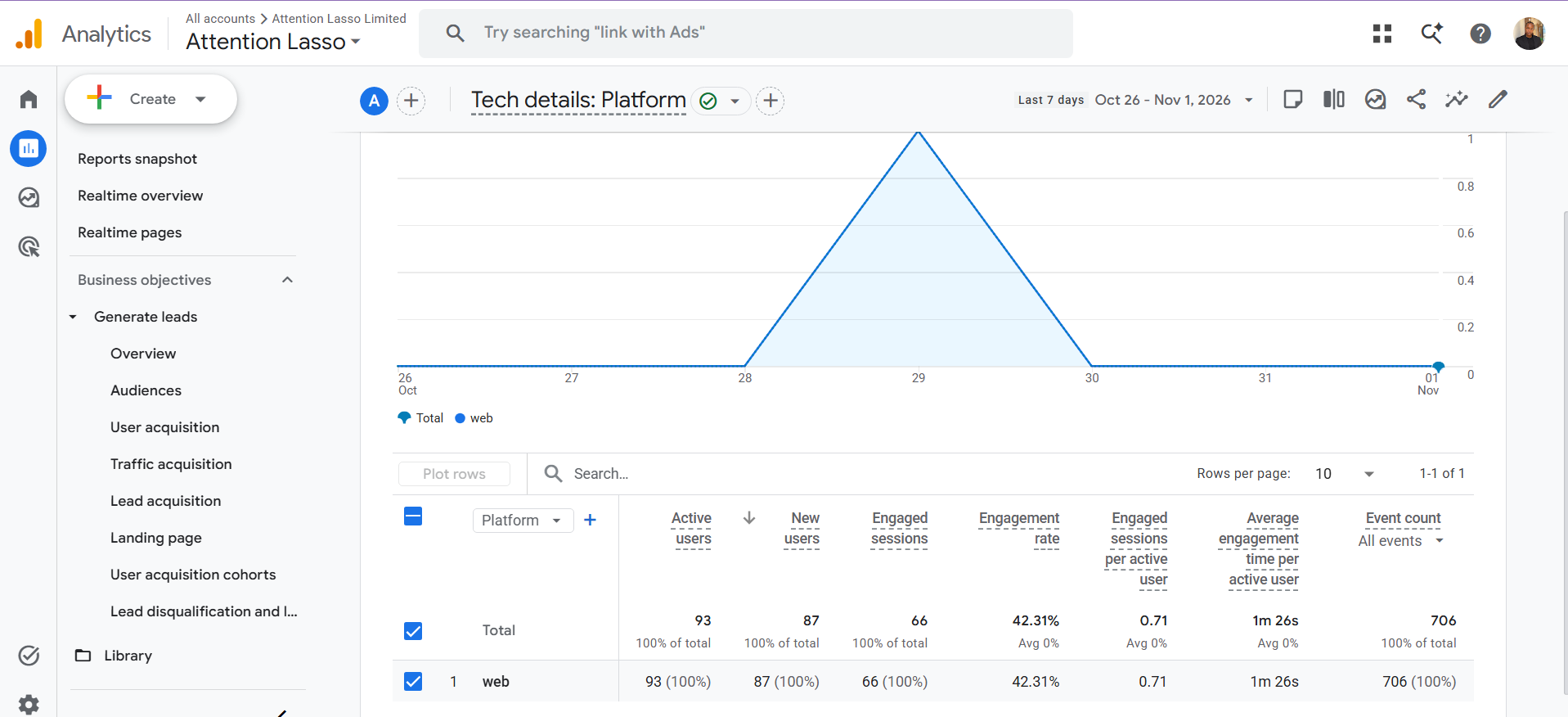
I could not immediately see the journey or identify where that key event came from. Maybe there is a GA4 report or configuration I haven't mastered yet. I’m not blaming the tool for something I may not know how to find.
In Clarity, the journey was much easier to understand.
I could open the recording and see that the visitor repeatedly returned to Attention Lasso’s Free Business Website Tools. They also viewed the homepage and reached the contact page.
Beside the recording, Clarity generated a Session Insights summary. It identified the repeated visits to the tools page, several moments when the page was hidden, and a long uninterrupted period of engagement with the tools.
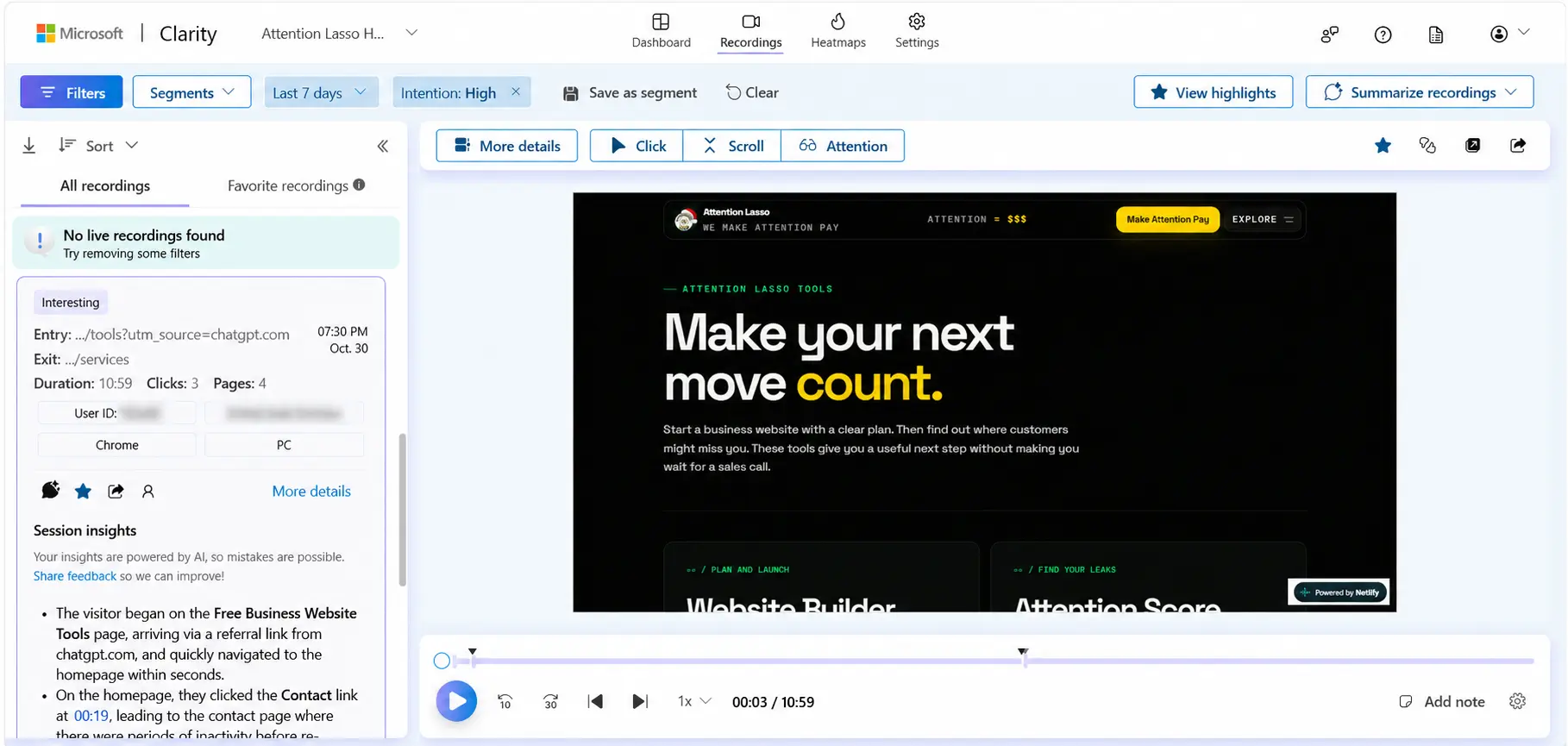
Those hidden-page moments could mean distraction, tab switching, or comparison shopping. The summary cannot read the visitor’s mind. Microsoft warns that Session Insights uses generative AI and can misinterpret a recording, so I checked the video instead of treating the summary as a sworn affidavit.
The recording confirmed what mattered.
This person didn’t land on the website, glance at one page, and disappear. They returned to the tools, explored the business, and reached the contact page. The visit later became my first serious lead from ChatGPT.
That is more useful than knowing Attention Lasso moved from position 40 to position 37 in somebody else’s prompt sample.
The ranking measures visibility. The recording measures attention.
Maybe AI visibility tracking is not useless. Maybe we stop too early
Recently, AI visibility measurement has been receiving a lot of hostile energy from marketers. I understand why.
If the monthly report says your brand appeared in 18% of 100 prompts, what should you do next? Celebrate the percentage? Add more prompts until the graph looks better? Send the screenshot to management and hope nobody asks about revenue?
Visibility alone can become a vanity metric.
That doesn't make the underlying behaviour imaginary. It means we need to measure more of the journey.
A 2026 benchmark covering 95 websites found that organic search still delivered 39 times more traffic than AI assistants. AI-referred traffic converted 18% better overall in the qualifying comparison set, but it performed worse than organic search on 23 of the 63 websites with enough traffic for that comparison. The results were mixed, which is exactly why broad claims about the “quality” of AI traffic are unreliable.
Another recent analysis examined 15.4 million sessions across 150 B2B SaaS websites. It found that 36.4% of conversions associated with an identifiable AI referral happened during a later session. Most of those later conversions were recorded as direct or organic traffic.
The lesson is not that every business should pour money into AI visibility.
The lesson is that AI traffic is small, uneven, and easy to misread. That makes proper measurement more important.
That is a better conversation than asking whether a visibility score increased by four points.
How to set up Microsoft Clarity for AI visibility tracking
Setting up Microsoft Clarity is pretty straightforward, and you can do it yourself.
1. Create your project and install the tracking code
Start by creating a Clarity project. Then add the tracking script through your CMS or a tag manager. Once it’s live, check that sessions are actually arriving. There’s no point building reports on an empty project.
2. Check privacy, consent, and masking
Do this before you get excited about the recordings. Review Clarity’s masking options, mask sensitive fields, then confirm that contact details, form responses, and private account information aren’t visible. If your site serves visitors in regions with consent rules, set up the consent signal properly too.
3. Verify your domain and open AI Visibility
Citations won’t work until your domain is verified. You can verify through the tracking code, Google Search Console, or Bing Webmaster Tools. Once that’s done, go to Dashboards, then AI Visibility, then Citations. You’ll see which pages are already being cited. One catch: if your project covers several domains, you have to pick one for Citations, and you can’t change it later.
4. Create a Topic Insights topic
Keep each topic focused on one commercial theme. Don’t throw the whole business into a single report. Then add 10 to 15 questions written the way real customers ask them.
For Attention Lasso, one topic could cover businesses looking for AI Search Optimization support. Another could cover automated marketing systems. Keeping them separate makes the results much easier to read.
5. Connect Google Analytics and set up meaningful actions
Clarity supports a GA4 integration. Connect the two, then define the actions that matter. That could be a contact form, a booking, an account signup, a purchase, or any event tied to the business.
Page views are useful. But a journey needs a destination.
6. Filter AI referrals and watch the recordings
Clarity’s AIPlatform channel picks up direct visits from ChatGPT, Claude, Gemini, Copilot, and Perplexity. You can then filter the related recordings, heatmaps, and behaviour data. There are limits, though. If the referrer is hidden, the visit may show up as Direct. AI features built into search engines and office tools also aren’t counted in this channel. Microsoft’s AIPlatform documentation explains the supported sources and limitations.
When an important session appears, favourite it. Standard playback data is kept for 30 days. Favourited or labelled sessions stay for nine months. Microsoft lists the retention periods here.
Free doesn’t mean automatic. You still need good prompts, clean events, and enough traffic to spot a pattern. Even so, it gives a growing website far more evidence than I expected without paying for another subscription.
What Microsoft Clarity cannot tell you
I recommend MS Clarity, but I wouldn’t use it to make claims the data cannot support.
Clarity can’t show every private prompt that influenced a visitor. Topic Insights measures the prompts you add. Grounding queries explain retrieval behaviour around citations. Neither is a universal transcript of what every customer typed.
It can also miss AI-influenced visits when the referrer is absent or when somebody discovers the business in an AI assistant and returns later through Google or a direct visit.
A bot request doesn’t prove a citation. A citation doesn’t prove a click. A recording doesn’t prove that one page caused the decision. One lead doesn’t establish an average conversion rate.
Each signal answers a smaller question. The useful work is connecting them without pretending they say more than they do.
I am only getting started with MS Clarity
I still have work to do:
- Configure Topic Insights reports
- Add customer-led prompts
- Improve events
- Explore Microsoft Clarity resources
MS Clarity and I might be in the honeymoon phase. Nonetheless, this AI visibility checker has already earned a place in my measurement stack. I recommend it, and I plan to configure it for every Attention Lasso client using our AI Search Optimization service.
As mentioned earlier, you can install MS Clarity yourself. A basic setup gives you recordings and basic AI tracking, which may be enough.
If you want to improve AI search visibility, the job becomes bigger. You need customer-led prompts, pages built around real intent, evidence that deserves citation, clear entity information, and a website journey that turns the resulting attention into action.
That is the work we do at Attention Lasso.
Get found in AI search, then make the attention pay
Our AI Search Optimization service helps businesses identify the questions customers ask, earn relevant AI citations, and measure what happens after people arrive.
Frequently asked questions
What is the best free AI tracking tool?
Microsoft Clarity is the best free AI tracking tool I have used because it combines custom prompt reports, AI citation data, identifiable AI referral traffic, and on-site behaviour analytics. The best tool for another business depends on whether it needs a one-time mention check, technical crawler audit, or ongoing measurement.
Is Microsoft Clarity free?
Yes. Microsoft describes Clarity as free forever, with no traffic limits or required paid upgrade. Optional infrastructure or consent-management tools used alongside it may have their own costs.
Can Microsoft Clarity track visits from ChatGPT?
Yes, when ChatGPT sends a visitor through a direct link with a recognisable referrer. Clarity classifies supported organic AI referrals under AIPlatform. If the referrer is hidden, the session may appear as Direct.
Which AI platforms does Clarity track?
The AIPlatform channel currently supports direct referrals from ChatGPT, Claude, Gemini, Microsoft Copilot, and Perplexity. This does not include every AI feature embedded inside search engines, office tools, or other products.
Can Microsoft Clarity track prompts?
Topic Insights lets you create a topic and add 10 to 15 prompts based on customer questions. It measures citation share, content contribution, and competitor presence across those prompts. The Citations dashboard separately reports grounding queries used to retrieve cited content.
Does Clarity replace Google Analytics or Search Console?
No. Search Console reports search visibility, while GA4 provides broader acquisition and event reporting. Clarity adds recordings, heatmaps, AI citation data, and behavioural context. The tools are more useful when connected than when forced to replace one another.
Can Clarity prove that ChatGPT caused a lead?
Clarity can show that a recognisable ChatGPT referral started a session and that the visitor completed observable actions. It cannot prove that ChatGPT was the only influence on the decision or expose the visitor’s private conversation.
Measure what happens after the mention
Turn AI visibility into a journey you can inspect.
Attention Lasso can set up the prompts, content and measurement that connect AI discovery with useful action on your website.
Keep pulling the thread