

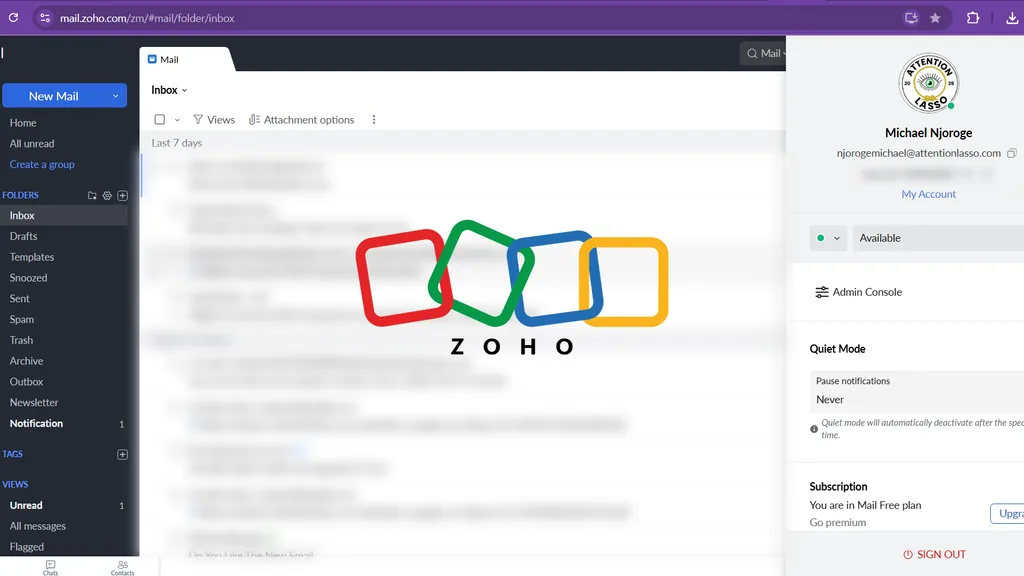
I had a website. I had registered the company. I had even written a serious email signature.
There was only one small problem. The email above that signature still ended in @gmail.com.
There is nothing wrong with Gmail. Millions of people use it every day. But when you are emailing a company to explain how your business can improve theirs, a personal address can make the whole operation feel slightly less official.
I needed an email address attached to my domain. Something that said Attention Lasso was a real business, not an ambitious idea being operated between browser tabs.
The obvious answer was Google Workspace. It was the option I kept seeing recommended. It also required a monthly payment.
My budget had a shorter recommendation: no.
I needed a professional business email that would help me conduct outreach, look credible and reply from my own domain. The available budget was exactly zero dollars.
This is how I set one up with Zoho Mail, why I nearly missed its free plan and what happened when my first very official email went straight to spam.
Jump to a section
- Why email forwarding wasn't enough
- The free plan I nearly missed
- Setting up Zoho Mail
- Why my first email landed in spam
- What MX, SPF, DKIM and DMARC mean
- What the free Zoho plan includes
- What I would do differently
- The final cost
Why email forwarding wasn't enough
I had already created hello@attentionlasso.com using Cloudflare Email Routing. Messages sent to that address could be forwarded to my existing inbox for free.
That solved half the problem.
I could receive an email addressed to Attention Lasso, but I still needed a proper mailbox for sending and replying. Outreach was the reason this mattered. If I introduced the company using a domain email and then replied from a personal Gmail account, the professional mask would fall off before the conversation had even started.
Forwarding is useful. A mailbox is different. I needed both sending and receiving to happen through attentionlasso.com.
The free plan I nearly missed
Google Workspace was the first serious option I considered. It gives businesses a custom Gmail address and an entire productivity suite. Google currently lists Business Starter as a paid subscription after its trial.
That may be excellent value for an established business. I was launching Attention Lasso while watching every expense. Another monthly subscription was not the answer I needed.
Then I found Zoho Mail.
At first, it didn't seem free at all. I followed the signup path and landed on a billing page. I assumed the free plan had disappeared, closed the tab and gave up.
Zoho later sent me a follow-up email. Inside it was the option I had missed: a free plan for custom-domain email.
The product I needed had been there the whole time. It was simply hiding with the commitment of someone who doesn't want to be found.
According to Zoho Mail's current pricing page, the free plan supports one custom domain, up to five users and 5GB of email storage per user. It is only available in selected data centres and does not include IMAP, POP or ActiveSync.
For Attention Lasso, that was enough. I didn't need a large corporate collaboration suite. I needed to send a professional email without adding another bill.
Setting up Zoho Mail
Once I found the free plan, the setup was genuinely easy.
I added attentionlasso.com to Zoho Mail and verified that I owned the domain. I then created the mailbox I would use for outreach and kept hello@attentionlasso.com as an alias. That way, the public contact address remained intact without requiring a separate inbox.
Zoho's official business email setup guide breaks the process into the same basic stages:
- Verify ownership of the domain.
- Create the user and mailbox.
- Update the domain's MX records so email reaches Zoho.
- Add SPF and DKIM records to authenticate outgoing email.
The only real interruption came from my previous setup. Cloudflare Email Routing already had MX records attached to the domain. Zoho needed its own MX records to receive mail. Both services could not direct the same incoming email in different directions and somehow agree to meet later.
I removed the conflicting routing records and used the values provided inside the Zoho Mail Admin Console. After the DNS changes propagated, Zoho verified the domain and the mailbox started working.
The lesson is simple: before changing MX records, check where your email is currently being routed. Do not delete records blindly. Write down the existing configuration and use the exact values supplied in your mail provider's admin console.
Need the result without wrestling with DNS? Attention Lasso helps businesses build the practical digital systems behind a credible online presence. Make Attention Pay.
Why my first email landed in spam
Once the mailbox was live, I sent myself a test email.
The subject was “Official Outreach Email.” The sender was my shiny new Attention Lasso address. The message arrived safely in the spam folder.
Professionalism had been achieved. Visibility had not.
The problem wasn't that Zoho was difficult to use. The mailbox itself had been easy to create. The problem was that a custom email address alone does not prove to another mail server that your message is trustworthy.
My domain still needed the proper authentication records.
I configured the SPF record and verified Zoho's DKIM selector. MX controlled where incoming email went. SPF identified which services were allowed to send for the domain. DKIM added a digital signature to outgoing messages. DMARC was the next layer for telling receiving servers what to do when authentication failed.
Zoho's DNS verification guidance explains the role of DKIM, while its broader authentication documentation recommends checking MX, SPF, DKIM and DMARC to improve delivery and protect the domain.
One important warning: don't copy another company's DNS values from a blog post, including mine. Your exact records can vary by provider, account and data centre. Use the records shown inside your own Zoho Admin Console.
What MX, SPF, DKIM and DMARC mean
Email authentication sounds intimidating because the internet named everything like a government department. The basic jobs are easier to understand:
- MX records: Tell the internet where incoming email for your domain should be delivered.
- SPF: Lists the services allowed to send email using your domain.
- DKIM: Adds a verifiable signature showing that the email came from an approved sender and wasn't altered on the way.
- DMARC: Tells receiving servers what to do when SPF or DKIM checks fail and can send reports about those failures.
You do not need to become an email infrastructure engineer. You do need to configure these records before sending serious outreach.
A smart-looking address that repeatedly lands in spam is just a well-dressed person talking to an empty room.
What the free Zoho plan includes
The free plan gave me what I needed:
- A professional email address using
attentionlasso.com. - Email hosting for one domain.
- Up to five users.
- 5GB of mailbox storage for each user.
- Access through Zoho Mail on the web.
- Access through the Zoho Mail mobile app.
I now use the mobile app, which makes the account easy to check without keeping another browser tab open. It feels like a normal business inbox because that is exactly what it is.
There are limitations. The free plan does not include IMAP, POP or ActiveSync, so you cannot connect it to every third-party email application in the same way as a paid mailbox. Availability also depends on the Zoho data centre serving your region.
Those restrictions may matter to a larger team. They did not stop me from achieving the immediate goal: professional domain email at zero monthly cost.
What I would do differently
If I were starting again, I would use this order:
- Decide which address will be the main mailbox and which addresses will be aliases.
- Check whether the domain already has email routing or MX records.
- Confirm that Zoho's free plan is available in the relevant region.
- Verify the domain and create the mailbox.
- Replace the old MX records carefully.
- Configure SPF and DKIM before sending outreach.
- Add DMARC with an appropriate policy and reporting address.
- Send test messages to several providers and inspect the authentication results.
- Only then begin outreach.
This would have prevented my ceremonial first email from being escorted directly into spam.
It also reinforces something I learned while building the Attention Lasso website: launching is not one task. A website, domain, analytics, search visibility and business email may appear to be separate jobs. To a customer, they combine into one judgment: does this business look credible enough to trust?
The final cost
The mailbox cost me $0.
I didn't choose Zoho because Google Workspace was bad. I chose it because the best system is the one that fits the business at its current stage. Google Workspace offered more tools. Zoho Mail solved the problem I actually had without creating a new monthly expense.
That is the kind of decision small businesses make every day. You do not always need the most recommended stack. You need a setup that is credible, secure, usable and financially sensible.
My Attention Lasso address now works on the web and through the mobile app. I can conduct outreach from the company domain, preserve hello@attentionlasso.com and manage the inbox without paying for software I am not yet ready to use.
Free did not mean fake. It simply required knowing where to look and configuring the unglamorous parts properly.
Get your business online without collecting subscriptions
You may need a website, professional email, analytics and a way for customers to find you. You probably do not need six subscriptions and a technology stack that requires its own finance department.
Attention Lasso builds practical growth systems around what your business needs now. We make the setup simpler, make your business easier to discover and make the attention useful.
Frequently asked questions
Can I really get a business email with my own domain for free?
Yes, if Zoho Mail's free plan is available in your data centre. The plan currently supports email hosting for one custom domain, up to five users and 5GB of storage per user. You still need to own the domain itself.
Why did the email land in spam?
The mailbox was working, but the domain had not yet been fully authenticated for outgoing email. SPF, DKIM and DMARC help receiving servers verify that a message is authorised and decide how to handle authentication failures.
Can I keep an address such as hello@mybusiness.com?
Yes. Depending on your configuration, it can be the main mailbox, an alias or a group address.
Is Zoho Mail difficult to configure?
The basic setup was easy once the free plan was located. Replacing existing Cloudflare routing records and configuring domain authentication required the most care.
Is Zoho Mail better than Google Workspace?
Not universally. Google Workspace includes a broader productivity suite. Zoho's free plan was better for this immediate situation because it provided a custom-domain mailbox without a monthly fee.
Can I use the free mailbox on my phone?
Yes. Zoho provides a mobile app. The free plan does not include IMAP, POP or ActiveSync, so third-party email-client access is limited.
From browser tabs to a real business
Get your business online without collecting subscriptions.
Attention Lasso can build the website, discoverability and conversion route around your actual budget.
Keep pulling the thread